
Microsoft has overhauled the internet speed test feature in Windows 11, moving the diagnostic tool directly into the operating system interface and eliminating the previous requirement to launch a web browser and visit the Bing search engine.
The feature first appeared in Windows 11 preview builds in September 2025 before rolling out to general stable versions by early 2026. In its initial iteration, users could locate a speed test option within the taskbar network icon’s right-click menu or the network settings panel. However, clicking the option merely opened the default browser to a Bing search page, where users had to run the tool manually. For individuals seeking a quick assessment of their network connection, this implementation offered minimal time savings.
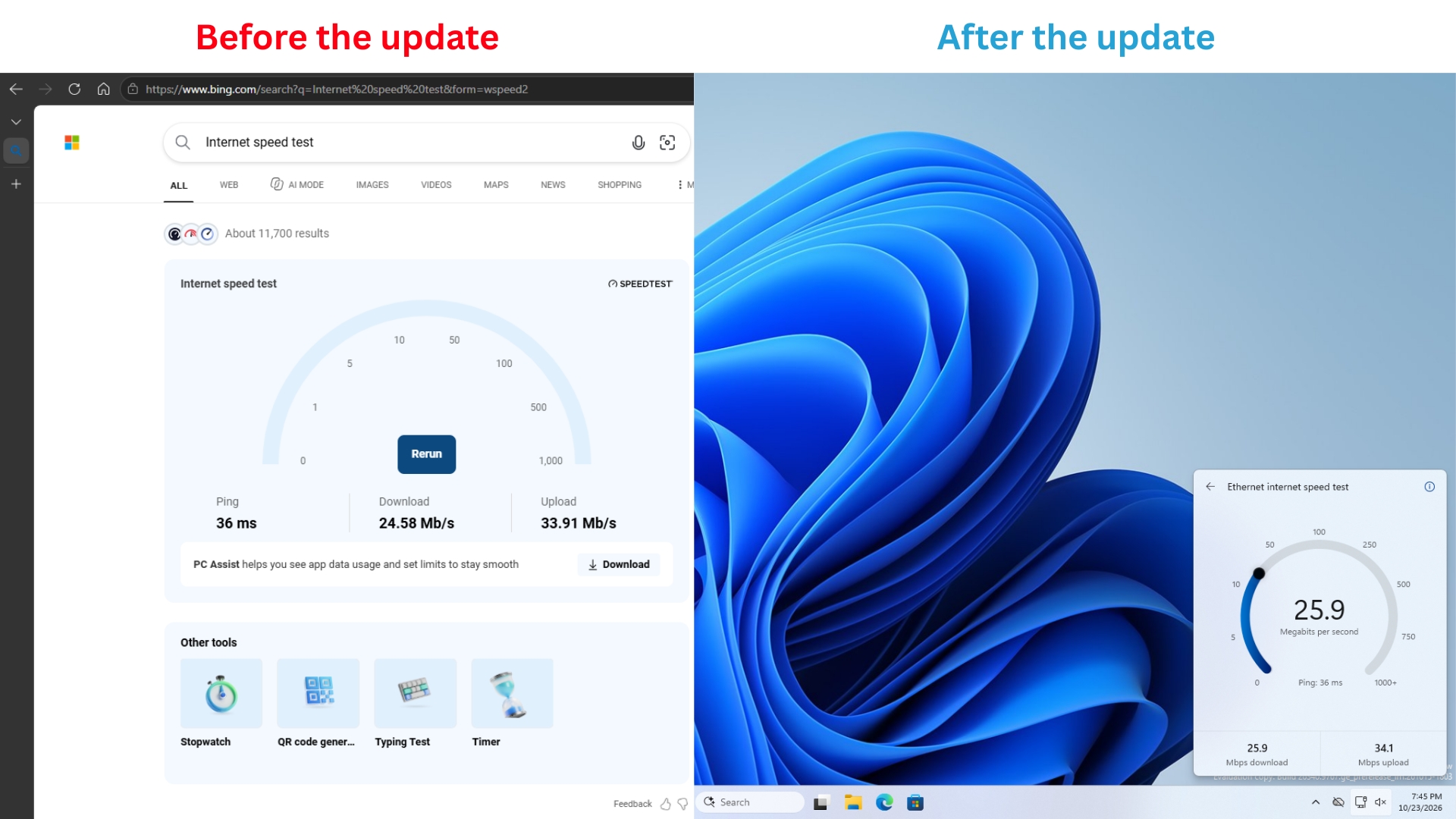
That interaction model changes in the newly released Windows 11 Insider Experimental Build 26340.9767. Renamed simply to “Test internet speed,” the updated feature conducts tests directly within the system’s Quick Settings panel without forcing a browser window open.
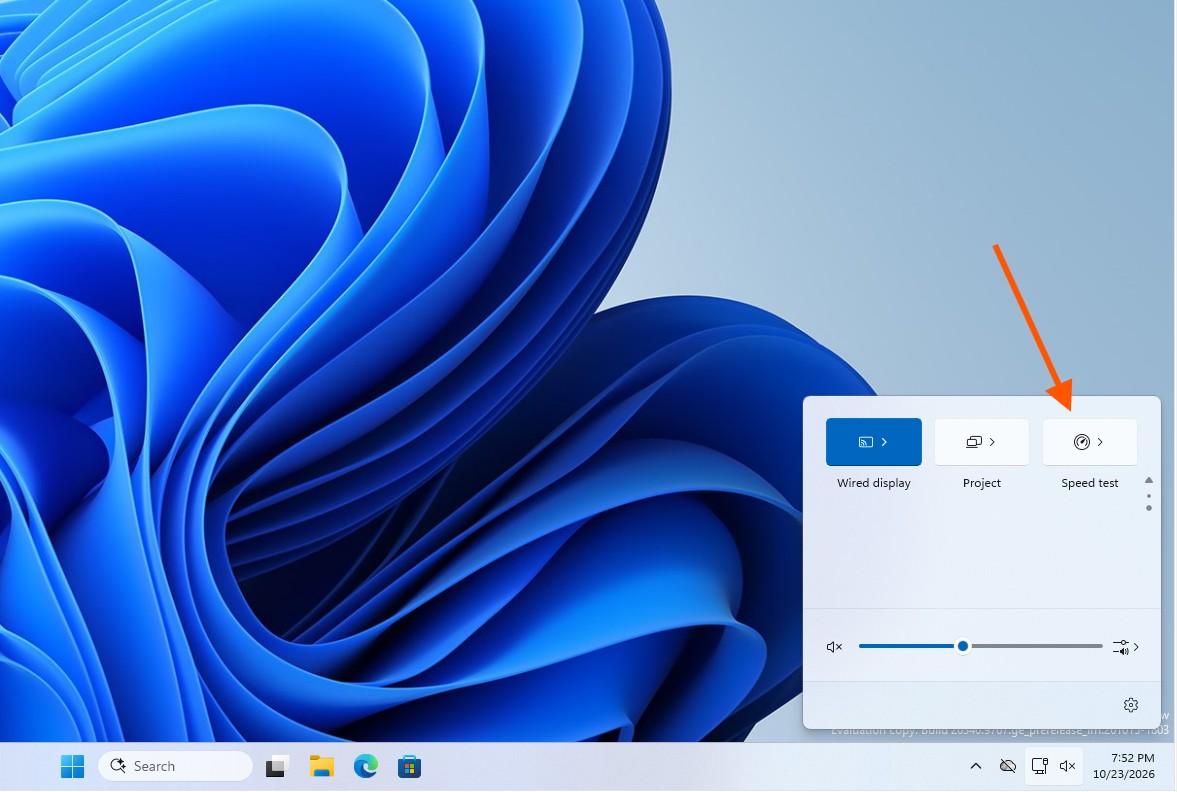
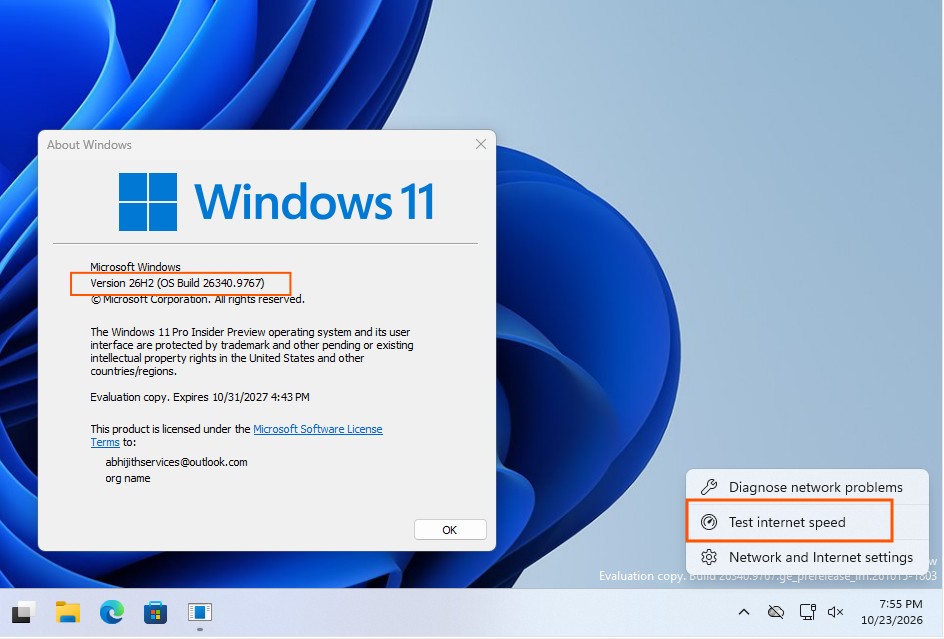
Users can initiate the diagnostic check through three separate pathways: by clicking a newly added speed test tile in the Quick Settings menu, by accessing it from the Wi-Fi or cellular network panel, or by right-clicking the taskbar network icon and selecting the updated menu item. Once started, the system sequentially searches for a testing server, measures network latency, checks download and upload speeds, and displays the final metrics in a popup interface.
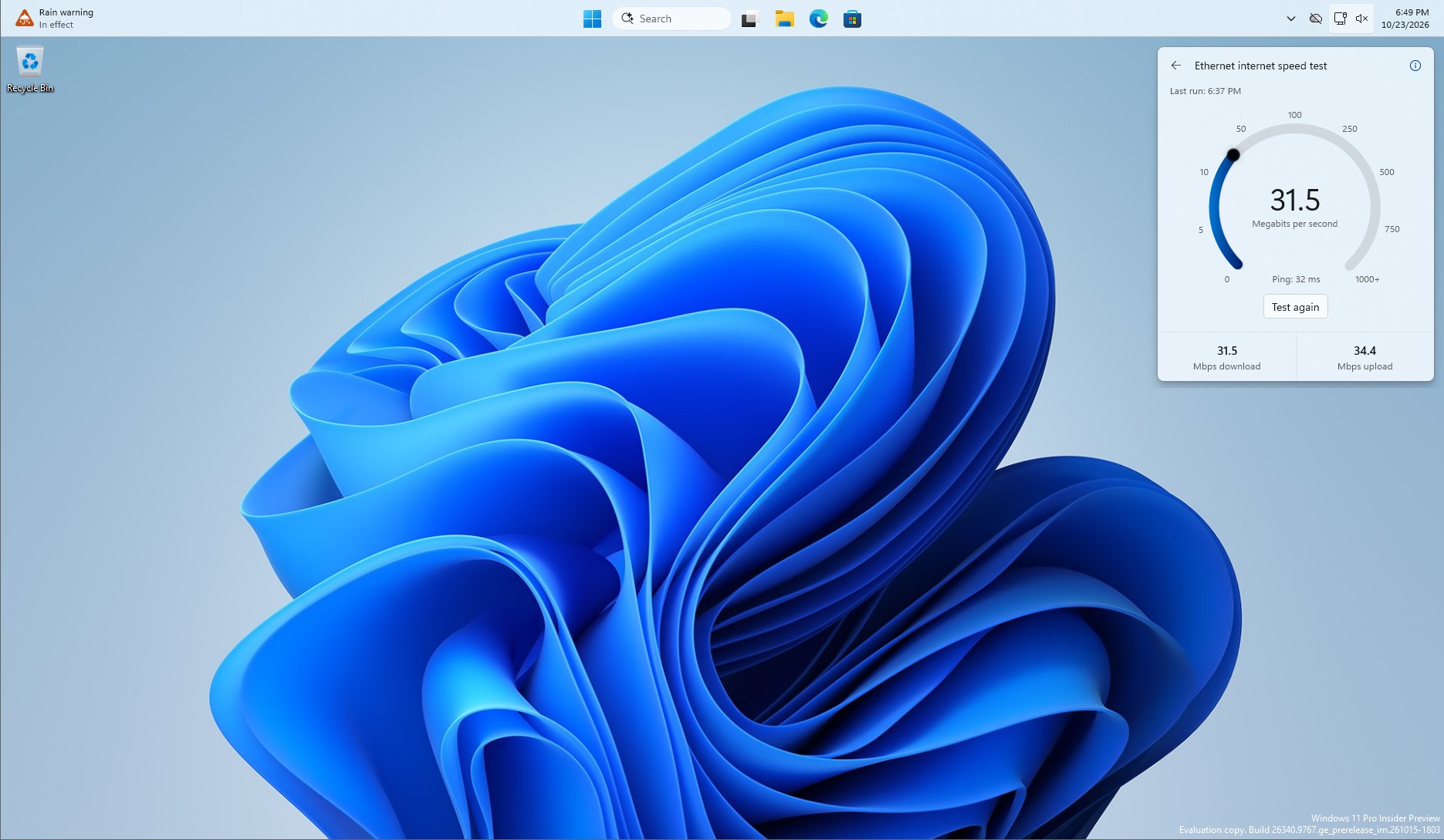
According to technical evaluations, the refreshed interface displays download speed, upload speed, and Ping latency, with the entire testing cycle typically finishing within 30 seconds. The visual design conforms with the broader Windows 11 system aesthetic and supports both light and dark themes. The tool also remains functional even if users reposition the taskbar to the top or side of the screen.
Despite the shift to a native interface, the underlying diagnostic infrastructure remains unchanged. Information accessible via the testing interface’s info button indicates that the feature continues to rely on Ookla’s Speedtest service, which also powered the previous Bing-hosted version. The update therefore represents a change in interaction design and system integration rather than a complete replacement of the underlying measurement engine.
Microsoft notes that the tool measures a computer’s active network connection, helping users gauge performance prior to video conferences, large file downloads, or other demanding tasks. At the same time, the results reflect only current network performance and cannot isolate whether reduced speeds stem from weak Wi-Fi signals, local network congestion, Internet Service Provider issues, or hardware routing failures. Deeper troubleshooting still requires standard system network diagnostics or command-line utilities.
The updated tool is currently limited to testers running Windows 11 Insider Experimental Preview Build 26340.9767 or newer. Even with the correct build installed, the feature may not appear immediately due to Microsoft’s controlled feature rollout mechanism, which pushes updates to devices in phases. Testers who meet the version requirement but lack the visible entry point have reportedly bypassed the delay by navigating to Settings, Windows Update, Windows Insider Program, and Feature flags to manually enable the Quick Settings Speed Test toggle, though this method stems from independent user testing rather than official documentation. Microsoft has not announced when the update will graduate to standard stable releases.
The redesign addresses longstanding user criticism regarding the utility of the previous implementation. Because the older shortcut merely routed users to a web search page they could easily access independently, critics questioned its practical value beyond driving traffic to Bing. While Microsoft has not explicitly linked the update to a broader strategy regarding online service promotions, the change follows other adjustments, such as introducing options to disable web results in system search to minimize browser interference with local queries.
For everyday users, the native integration successfully resolves a minor workflow friction point by allowing basic performance checks to occur without leaving the desktop environment. Whether the feature will roll out globally across all Windows 11 installations and whether similar native integrations will follow for other online services remains to be seen in subsequent updates.